How to Visualise an Interior Room Redesign with AI: A Practical Homeowner's Guide
Learn how to photograph your existing room, test layout options, and preview interior styles with AI before buying furniture or commissioning trades.
In this guide
- Why Traditional Renovation Planning Leads to Expensive Mistakes
- The 5-Point Room Photography Protocol for Accurate AI Generation
- Comparing Styles: Japandi vs Nordic Minimalist vs Contemporary Luxe
- How to Prevent Scale Drift and Common AI Pitfalls
- Actionable Planning: Translating Visuals into a Phased Budget
- Frequently Asked Questions
Why Traditional Renovation Planning Leads to Expensive Mistakes
Committing to an interior redesign often involves high financial risk. Whether you are moving into a Victorian terrace with chimney-breast alcoves or updating a 1990s semi-detached home, choosing paint colours, flooring materials, and furniture layouts from small swatches rarely reveals the full picture.
UK renovation surveys indicate that over 30% of homeowners express regret over at least one major furniture purchase or paint finish within twelve months of completion. Returning a bulky modular sofa or paying painters to redo bespoke cabinetry creates unnecessary expense and friction.
AI-powered room visualisation gives you an accurate preview of your space. By uploading a well-lit photograph of your actual room, you can test architectural directions such as Japandi or Nordic minimalism in minutes, preserving the room's structural proportions while evaluating colours, textures, and layouts.
Visualising your room with AI allows you to test furniture scale, lighting temperature, and material pairings against your exact layout before spending money on physical items.
The 5-Point Room Photography Protocol for Accurate AI Generation
The spatial accuracy of an AI redesign depends directly on the quality of your input photo. The system requires clear visual cues regarding ceiling heights, window positions, and structural walls.
Follow this five-step checklist before uploading your space:
Actionable Checklist
- 1Shoot from chest height (roughly 1.2m to 1.4m): Avoid high angles or low floor shots. Chest height matches natural eye level and prevents vertical distortion in walls and doorframes.
- 2Stand in the furthest corner: Capture at least two adjacent walls, the floor-to-ceiling boundary, and natural light sources such as sash or bay windows.
- 3Maximise natural daylight: Draw curtains fully open and photograph during mid-morning or early afternoon. Avoid direct sun that casts harsh black shadows.
- 4Turn off conflicting artificial lights: Halogen downlights or fluorescent tubes create colour clashes that confuse material rendering.
- 5Clear the focal floor area: Remove stray items, cables, and storage boxes. Keep architectural features (fireplaces, cornicing, radiators) visible so the model respects them.
Comparing Styles: Japandi vs Nordic Minimalist vs Contemporary Luxe
A key benefit of digital visualisation is testing contrasting design directions on the same room photo. Below is an objective comparison of three common styles tested through DraftSanctum AI:
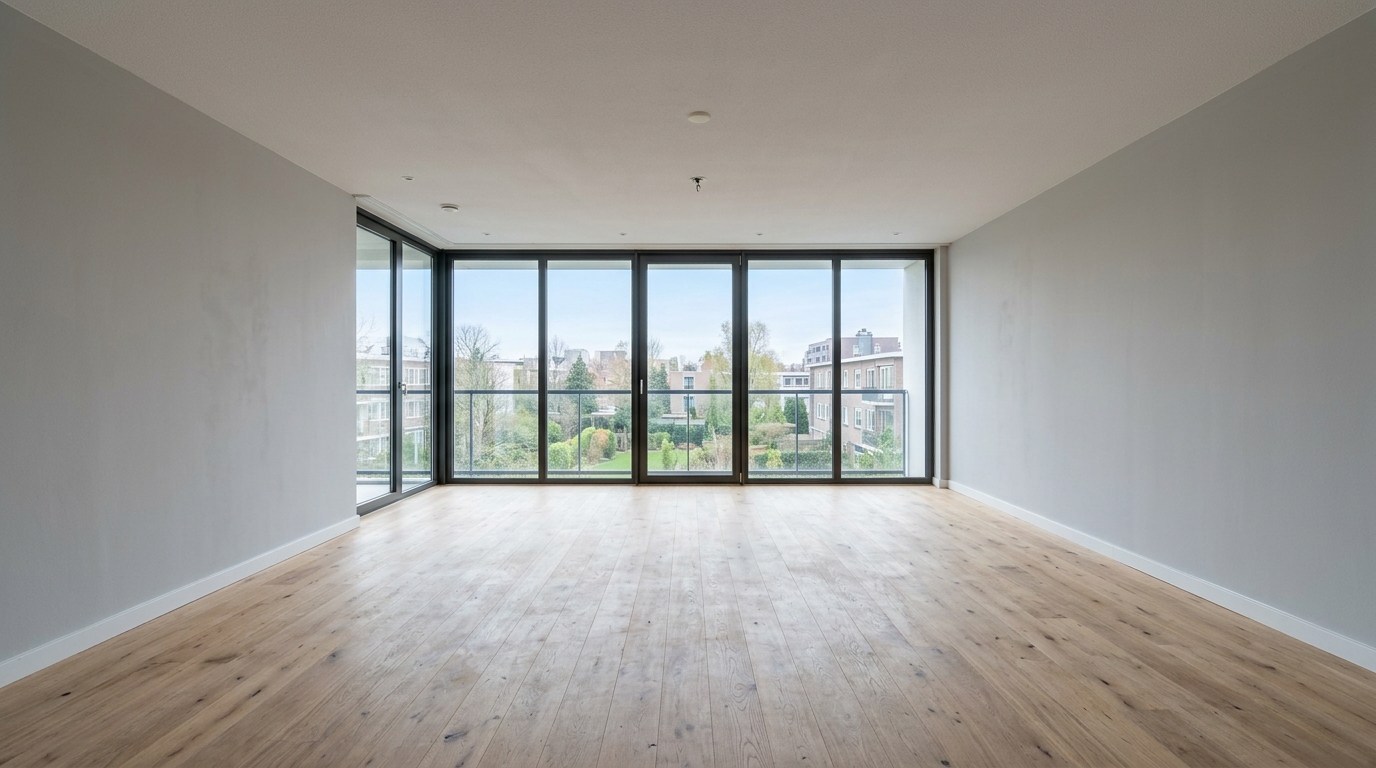
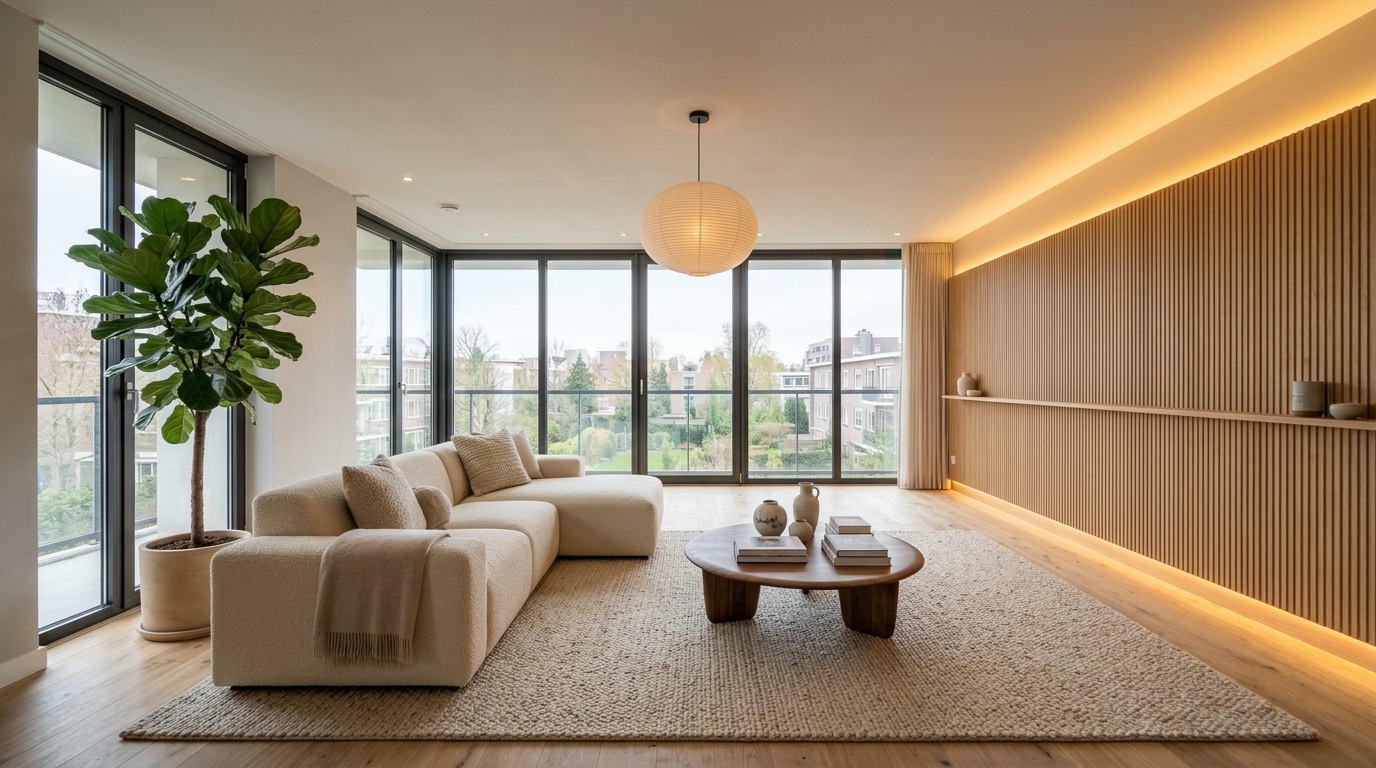
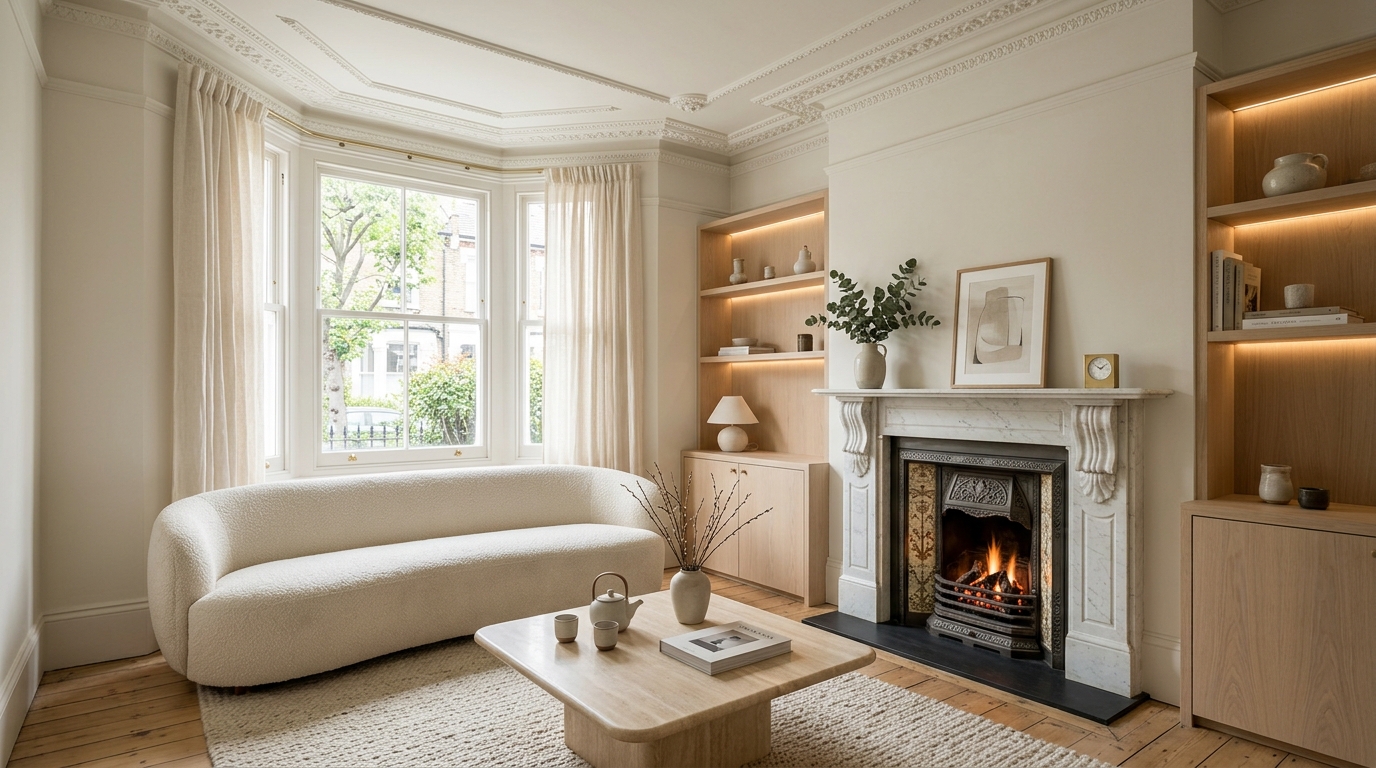
Original room photo uploaded to DraftSanctum AI (left) compared against the generated Japandi Warm Wood concept (right), retaining window positions and timber floor structure.
| Design Style | Primary Materials | Best Suited For | Estimated Cost (£) |
|---|---|---|---|
| Japandi Warm Wood | Slatted European oak, linen, paper cords, honed travertine | South-facing rooms seeking organic calm and uncluttered warmth | Medium (£2,000 to £6,000 depending on joinery) |
| Nordic Minimalist | Birch plywood, chalky white plaster, wool rugs, light ash | North-facing or compact rooms needing maximum light bounce | Accessible (£1,200 to £4,000 with standard retail pieces) |
| Contemporary Luxe | Smoked glass, brushed brass, fluted wall panels, rich velvet | High-ceilinged period reception rooms and entertaining spaces | Premium (£5,000 to £15,000+ for tailored upholstery and custom joinery) |
How to Prevent Scale Drift and Common AI Pitfalls
Generative models can misjudge spatial proportions if supplied with unclear photos, sometimes placing oversized furniture into compact rooms.
To safeguard your redesign, always cross-reference the generated layout with physical floor measurements:
1. Measure your alcoves and walkway clearances: Standard UK residential circulation requires at least 750mm between coffee tables, sofas, and entryways.
2. Check door swing radii: Ensure suggested cabinetry or corner reading chairs do not block internal doors or patio French doors.
3. Use DraftSanctum's Furniture Arrangement tool: When testing specific seating or dining items, upload the individual furniture asset directly onto your room photo to verify placement in real perspective.
Actionable Planning: Translating Visuals into a Phased Budget
Once you have selected your preferred design direction, break the implementation down into manageable phases. This ensures you do not exhaust your budget before addressing foundational elements.
Phase 1 (Surfaces and Preparation): Repair plaster, apply breathable emulsion in your chosen palette, and refinish timber flooring.
Phase 2 (Primary Furniture): Select primary seating matching the proportions confirmed in your preview.
Phase 3 (Lighting and Layering): Add warm 2700K floor and table lamps, curtains, and wool rugs to match the lighting scheme tested in your render.
Frequently Asked Questions
Ready to Visualise Your Living Space?
Upload a photo of your existing room and generate tailored, photorealistic design directions in moments.
Related Design Guides
View all guides